Redeem a Free Fire promotional code through Garena's official rewards website. A code is different from your numeric player ID: it represents a promotion, while the UID identifies an account. Before starting, keep the original announcement available so you can check its reward, region and expiry.
Find the official redemption destination
Open Garena's rewards redemption website directly. Compare the destination address before signing in. Use the linked account that belongs to the player you intend to redeem for. Garena's support guidance says guest accounts cannot redeem promotional rewards until the account is linked through a supported login option.
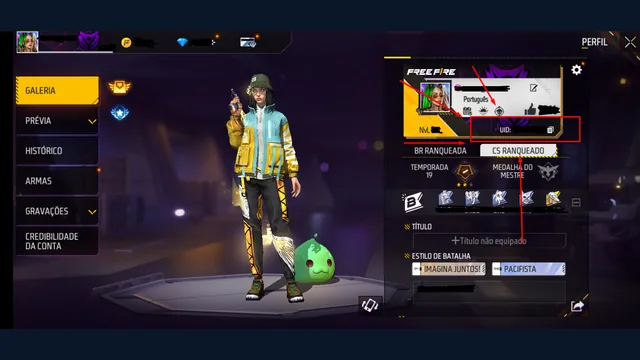
If you do not know which account you are using, return to the game first. The UID guide explains how to find your numeric player ID. Do not treat a nickname typed into an unrelated form as an account confirmation.
Redeem a code step by step
- Open the official redemption site and sign in with your linked account.
- Check the nickname and region shown by the site.
- Copy the code from its original issuer and follow the format displayed by the redemption page.
- Submit it once and read the result before trying again.
- Check your in-game mail or the relevant reward location after successful redemption.
Copying the exact code avoids confusing similar characters or carrying extra spaces into the field. Keep a private note of the submission result if you need to troubleshoot later. Do not publish your login details in a comment asking another player to redeem it.
Why a code may not work
Garena explains that codes can expire, be limited by region or already be redeemed. These are separate problems. Repeating the same submission does not change an expired promotion or make an account eligible for another region.
Compare the code with the original announcement first. Then check the eligible server, the expiry and whether the announcement describes a single-use code or a broader promotion. Read the exact error shown by the official page; do not replace it with a guess based on a video's title.
Successful redemption but no item yet
Check the account and region used for redemption, then check in-game mail. Garena's guidance also notes that a full mailbox can prevent item rewards from arriving. Keep the official confirmation and original promotion details together if the result needs investigation.
Use the current support instructions for your region rather than assuming that every promotion has the same delivery time. The regional customer-service directory is linked below. Describe the actual error or missing reward and provide only the information requested by the official support form.
Where to find genuine code announcements
Start with Garena's official regional channels, events and streams. Our event guide explains how to check the event behind an announcement. The reward may be an item; a redeem code is not a universal promise of diamonds.
This page deliberately does not present invented or unverified “working today” codes. A list is useful only when its issuer, eligible region and validity can be checked. For the difference between code rewards and currency purchases, read diamonds and UID explained. For buying currency, use the separate top-up checklist.
Source check: 9 October 2026. Redemption rules and login options can change; the official redemption page controls the transaction.